
Extending the Korg NTS-1 through MaxforLive
The Korg NTS-1 is a wonderfully compact synth with a surprisingly deep engine, especially once you start exploring the growing ecosystem of user oscillators and effects. I picked one up and quickly found myself diving into the excellent Sinevibes ocillators — but also bumping into a few limitations. Some parameters aren’t exposed over MIDI, the front‑panel interface is minimal, and powering it from a computer can introduce noise (easily solved with a USB battery pack).
Those constraints became the spark for a small series of MaxforLive tools designed to make the NTS‑1 more expressive, more controllable, and frankly more fun. What started as a simple editor grew into a randomiser, which then inspired a fully‑fledged MIDI CC sequencer modelled on one of my favourite Eurorack modules.
1. Korg NTS Editor (MaxforLive)
Why I Built It
The NTS‑1’s single‑knob interface is clever but limited. I wanted a way to access parameters more directly, especially the custom controls exposed by third‑party oscillators. That led to building a MaxforLive editor, initially just for convenience, but it quickly evolved into something more experimental.
One of the first features I added was a patch randomizer. I’d previously built something similar for my Meeblip Micro editor, but this time I wanted it to trigger from incoming MIDI notes. Each note generates a completely new sound, a bit like the AFX mode on the Novation Bass Station II — but instead of cycling through presets, it’s entirely randomised every time.
The idea was sparked by a tweet from Finlay Shakespeare about his time at Novation, and it turned out to be a great way to explore the NTS‑1’s sonic range.
To keep things usable, you can toggle which parameters are randomised. With only cutoff selected, for example, it behaves like a Sample & Hold generator.
Development Notes
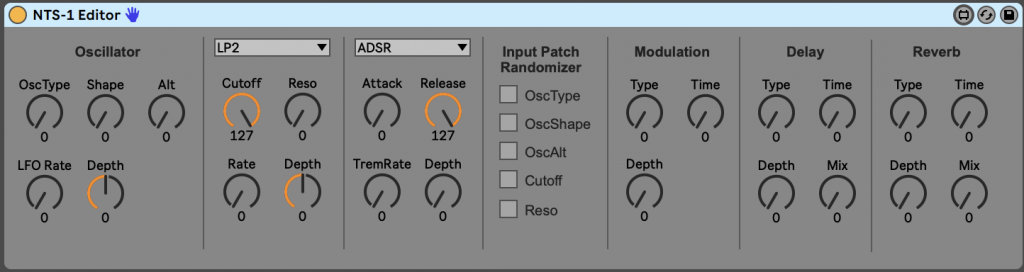
- Early versions triggered the randomizer on both note‑on and note‑off messages. The fix was simply using [Stripnote], which filters out note‑off events.
- The editor supports Sinevibes oscillators and their additional parameters.
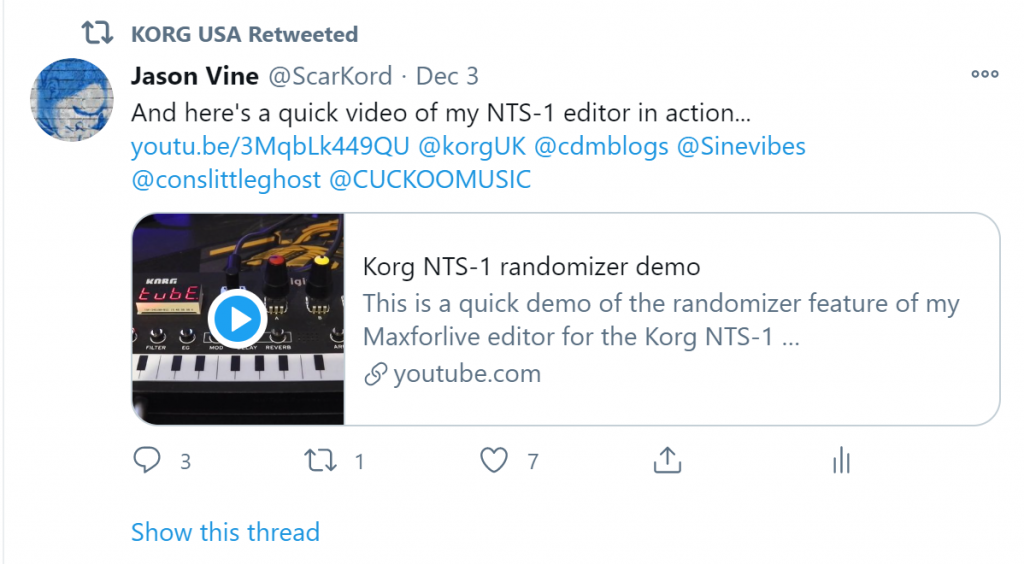
- Korg USA even retweeted the project, which made my day.
Download
Korg NTS-1 Editor
https://maxforlive.com/library/device/6751/korg-nts-1-editor
Video Demo
2. MIDI CC Sequencer (MaxforLive)
From Randomizer to Sequencer
After releasing the editor, someone asked whether the randomiser could be “a little less random”. That question stuck with me. I started sketching ideas for something more structured — a modulation source that could still produce movement, but in a repeatable, musical way.
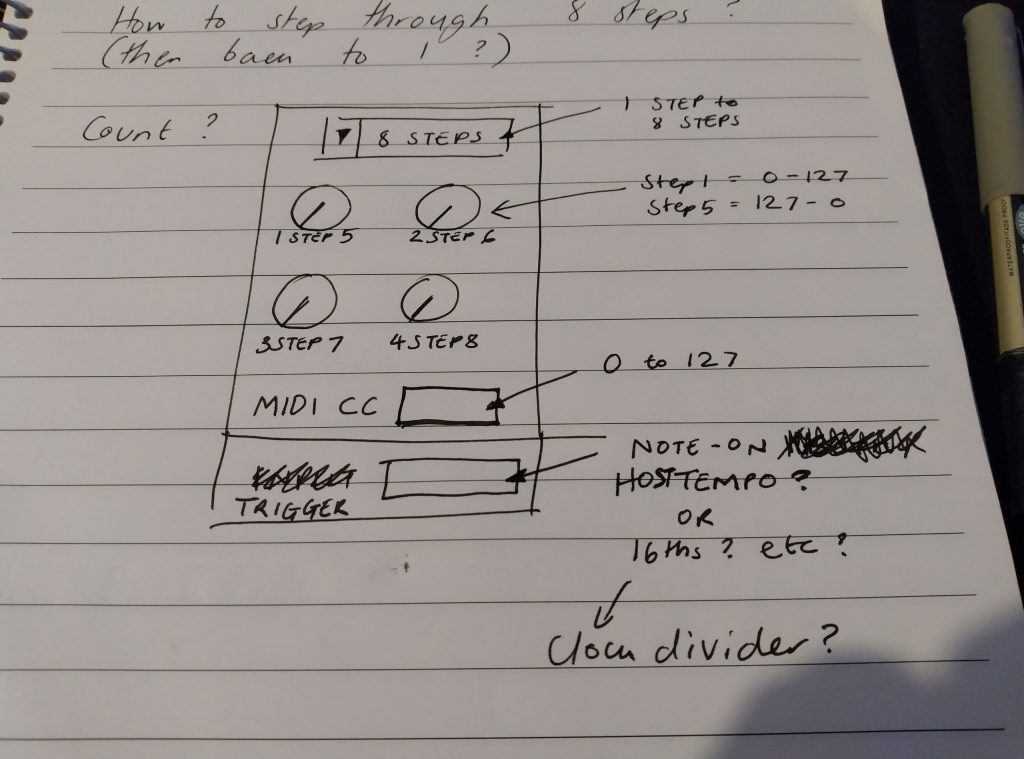
The rough sketch was heavily inspired by the DinSync ModSeq Eurorack module, which uses a clever approach where each knob controls two steps. That became the conceptual backbone of the MIDI CC Sequencer.
Version 1.0 – Core Concept
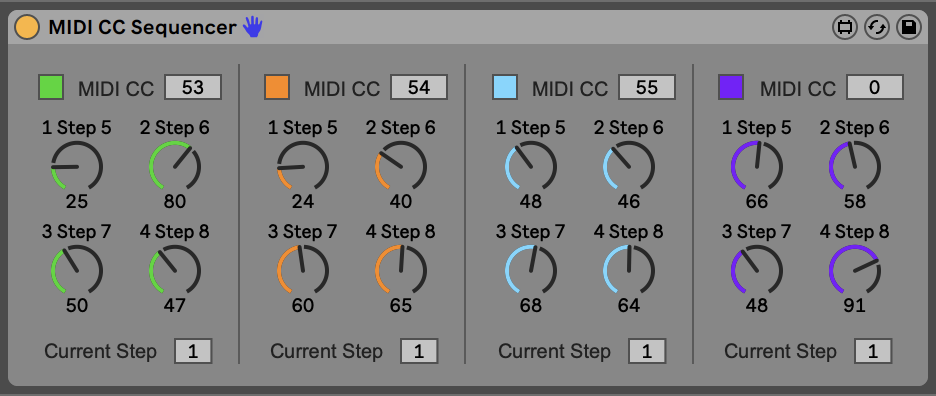
The first release was a 4‑channel, 8‑step MIDI CC sequencer designed primarily for the NTS‑1, but usable with anything that responds to MIDI CC.
Key Features
- 4 channels, each sequencing a user‑selectable MIDI CC
- 8 steps, with each knob controlling two steps (value + inverse)
- DinSync‑style behaviour for compact control
- Designed for NTS‑1, but fully configurable for other synths
- Ideal for shaping oscillator type, shape, alt, effects, etc.
The inverse‑step behaviour gives the sequencer a distinctive feel:
- Step 1 outputs the knob value
- Step 5 outputs the inverted value
- Step 2 → Step 6
- Step 3 → Step 7
- Step 4 → Step 8
It’s a compact way to generate evolving modulation without needing eight separate controls.
Version 1.1 – Improvements
I couldn’t sleep because I kept thinking of improvements — so version 1.1 arrived quickly.
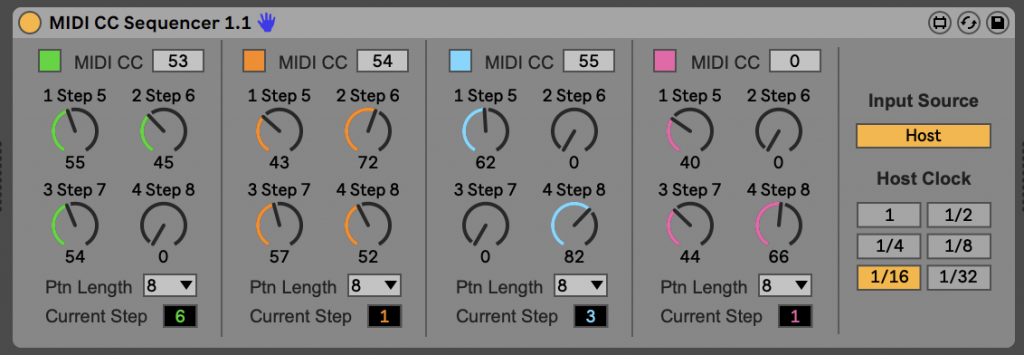
New in v1.1
- Independent pattern lengths per channel
→ Create polyrhythms and evolving patterns - Host‑sync mode
→ Runs at Ableton tempo, ideal for sustained notes - Clock divider
→ Choose the modulation rate - Colour change
→ The fourth sequencer is now pink, because why not
I also toyed with the idea of adding a slew limiter to smooth transitions between steps. That may still happen in a future update.
Download
MIDI CC Sequencer
https://maxforlive.com/library/device/6756/midi-cc-sequencer
Video Demo
3. Using the Devices in Ableton Live
The editor and sequencer complement each other nicely:
- The editor gives you direct access to parameters and a playful randomiser.
- The sequencer gives you structured, repeatable modulation.
Together, they turn the NTS‑1 into a surprisingly expressive little synth, capable of textures and movements far beyond its front‑panel interface.
These MaxforLive tools started as small experiments to push the NTS‑1 further, but they’ve become genuinely useful additions to my Ableton workflow. Whether you’re using the NTS‑1 or any other CC‑capable synth, I hope they open up new modulation ideas and spark a few experiments of your own.